방에서 찍은 영상 하나로 앵글, 장소, 인물까지 바꾸는 법 (Higgsfield Seedance 2.5 + Genjutsu)
이 글은 Higgsfield와 함께한 광고 협업 가이드입니다. 글 안의 링크로 가입하면 혜택이 적용될 수 있습니다.
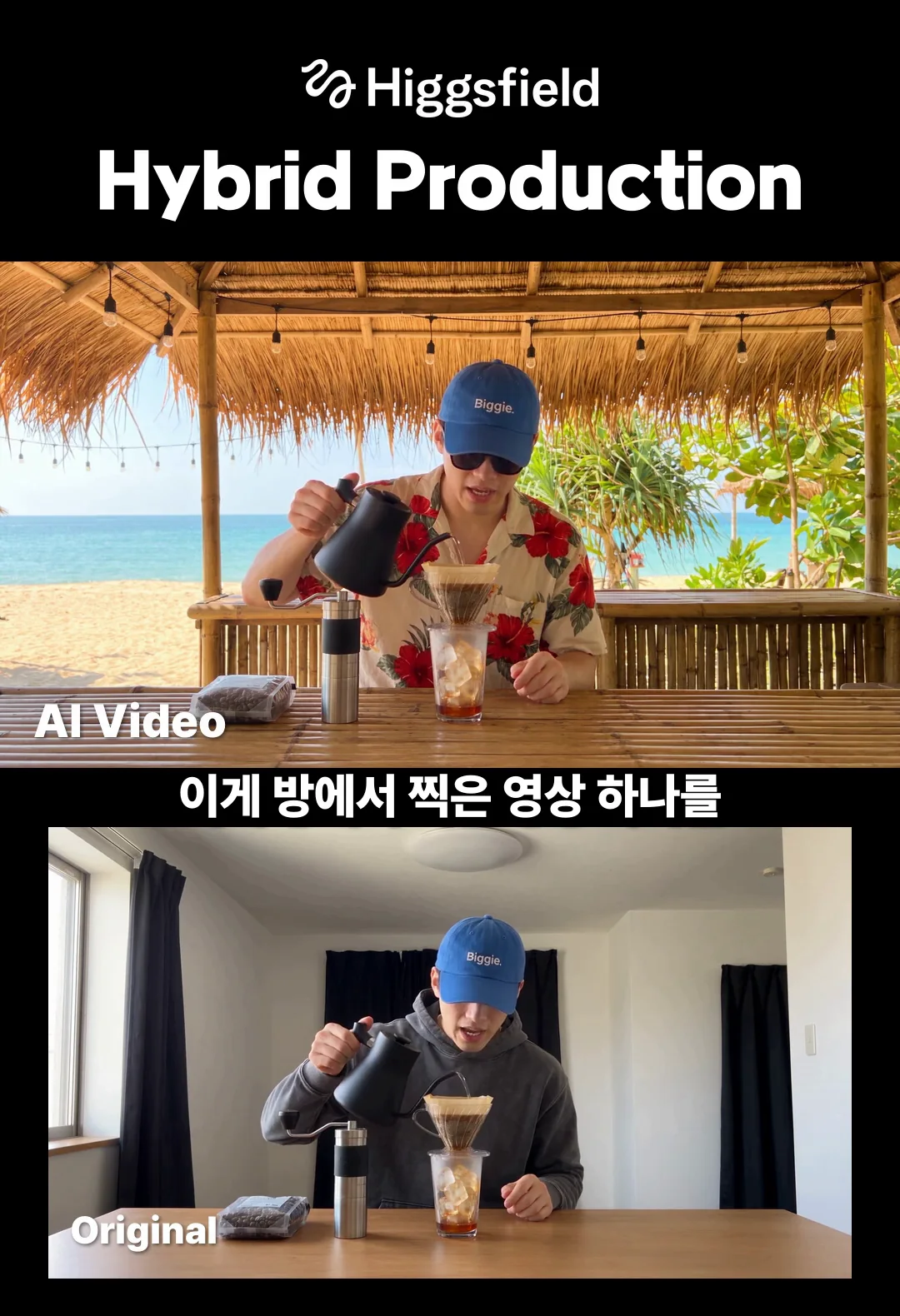
방 책상에서 커피를 내리는 영상 하나를 찍었을 뿐인데, 결과물에서는 카메라가 위에서 내려다보고, 잔 안에서 올려다보고, 어느새 해변 파라솔 아래에서 같은 동작을 하고 있어요. 다시 찍은 장면은 하나도 없습니다.
이 가이드에서는 영상 속 장면을 만든 순서 그대로, 제가 실제로 넣은 프롬프트 전문까지 정리했어요. 앵글은 Seedance 2.5로, 장소와 옷, 인물은 Genjutsu로 바꿨습니다.
▶ Higgsfield 바로가기 (Seedance 2.5 · Genjutsu)
하이브리드 프로덕션이 뭔가요?
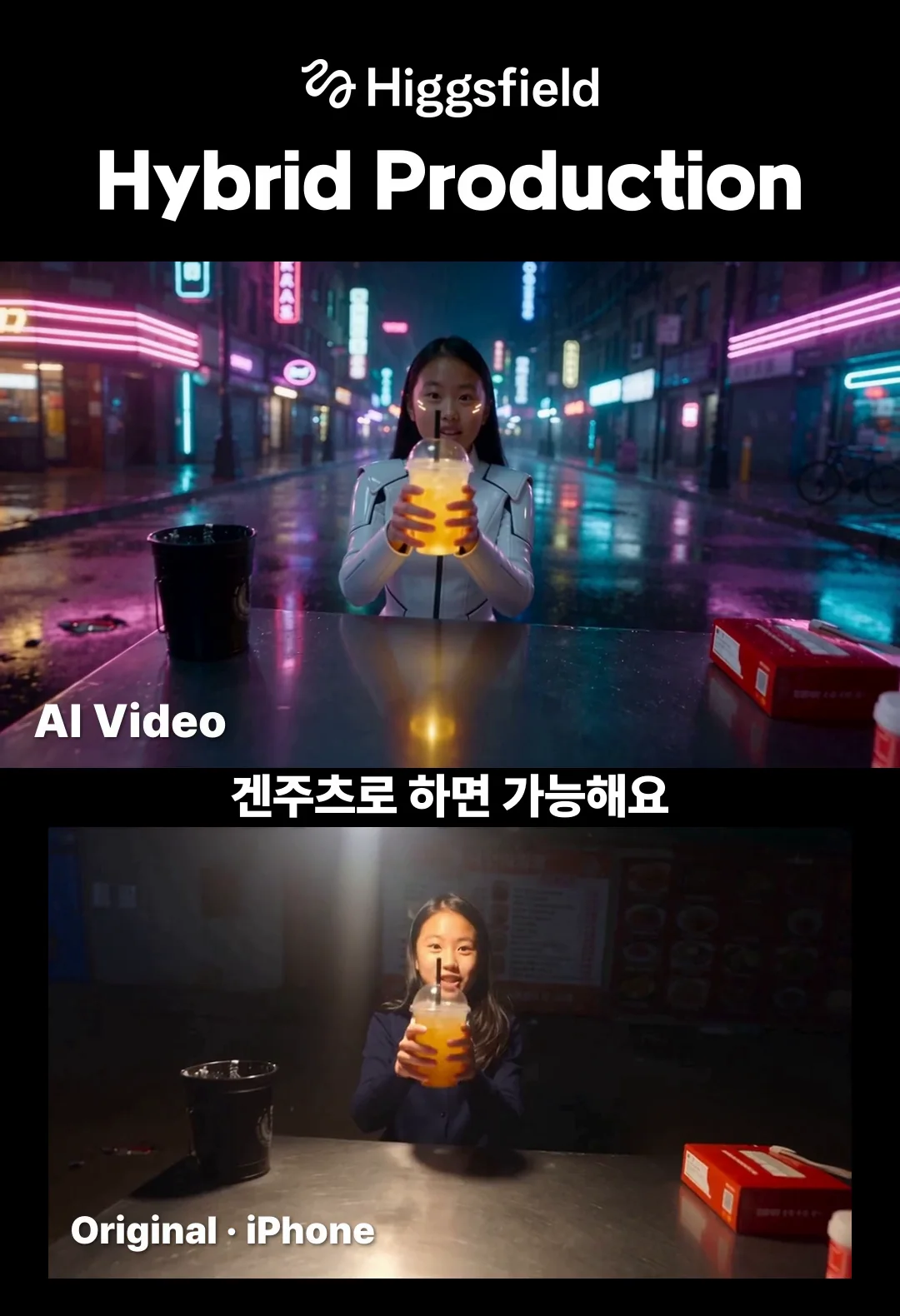
실제로 찍은 영상의 연기와 동작은 그대로 두고, 나머지를 AI로 바꾸는 방식이에요. 아래 칸이 제가 찍은 원본이고, 위 칸이 Higgsfield로 바꾼 결과예요. 손이 움직이는 타이밍, 입 모양까지 원본과 똑같이 맞아떨어집니다.
준비물: 카메라를 고정하고 찍은 영상 하나
삼각대에 폰을 세워 두고 15~30초 정도 찍으면 돼요. 손 동작이 많을수록 앵글을 바꿨을 때 볼거리가 많아져요. 저는 원두를 갈고, 물을 붓고, 잔을 들어 마시는 장면을 찍었어요.
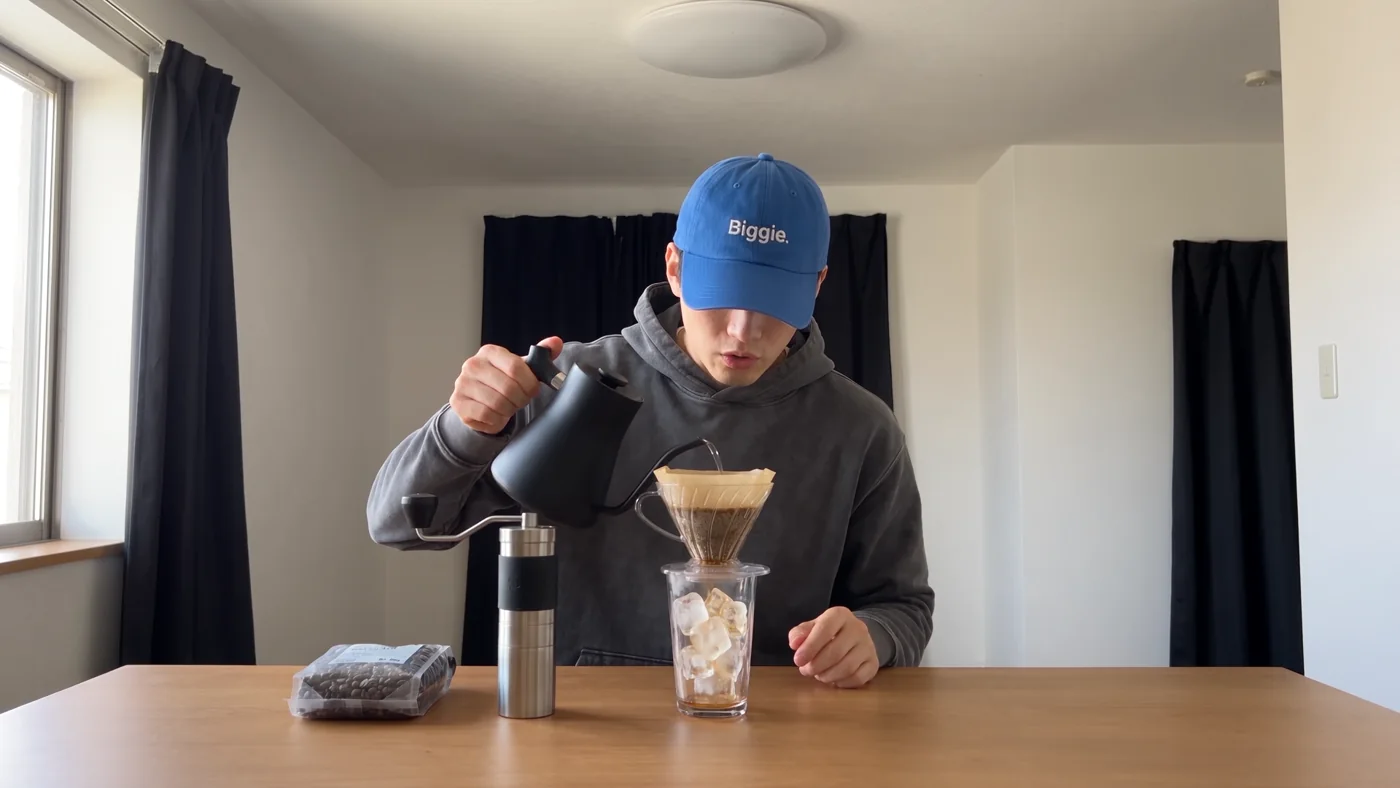
1. 클로드에 몇 초에 무엇을 바꿀지 적기
원본 영상을 클로드에 넣고, 몇 초에 어떤 앵글로 바꿀지, 장소와 옷은 무엇으로 바꿀지 타임코드로 적어 주세요. 이때 대사와 동작은 그대로 유지해 달라는 문장을 꼭 넣어야 해요.
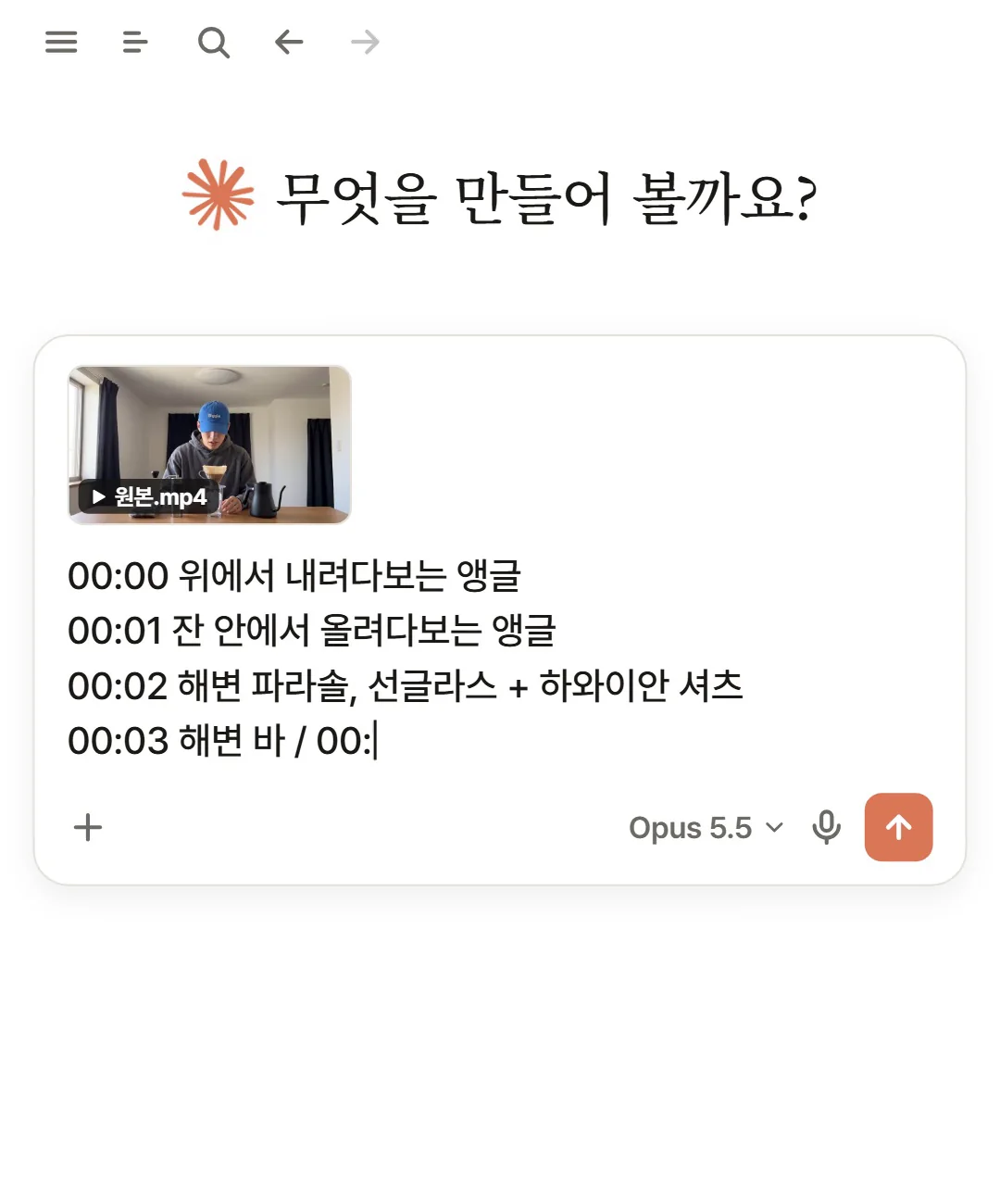
제가 클로드에 보낸 문장은 이거예요.
00:00 위에서 내려다보는 앵글
00:01 잔 안에서 올려다보는 앵글
00:02 해변 파라솔, 선글라스 + 하와이안 셔츠
00:03 해변 바 / 00:04 요트 위
대사랑 동작은 그대로 유지해줘
그러면 클로드가 힉스필드에 그대로 붙여 넣을 영어 프롬프트를 만들어 줘요.
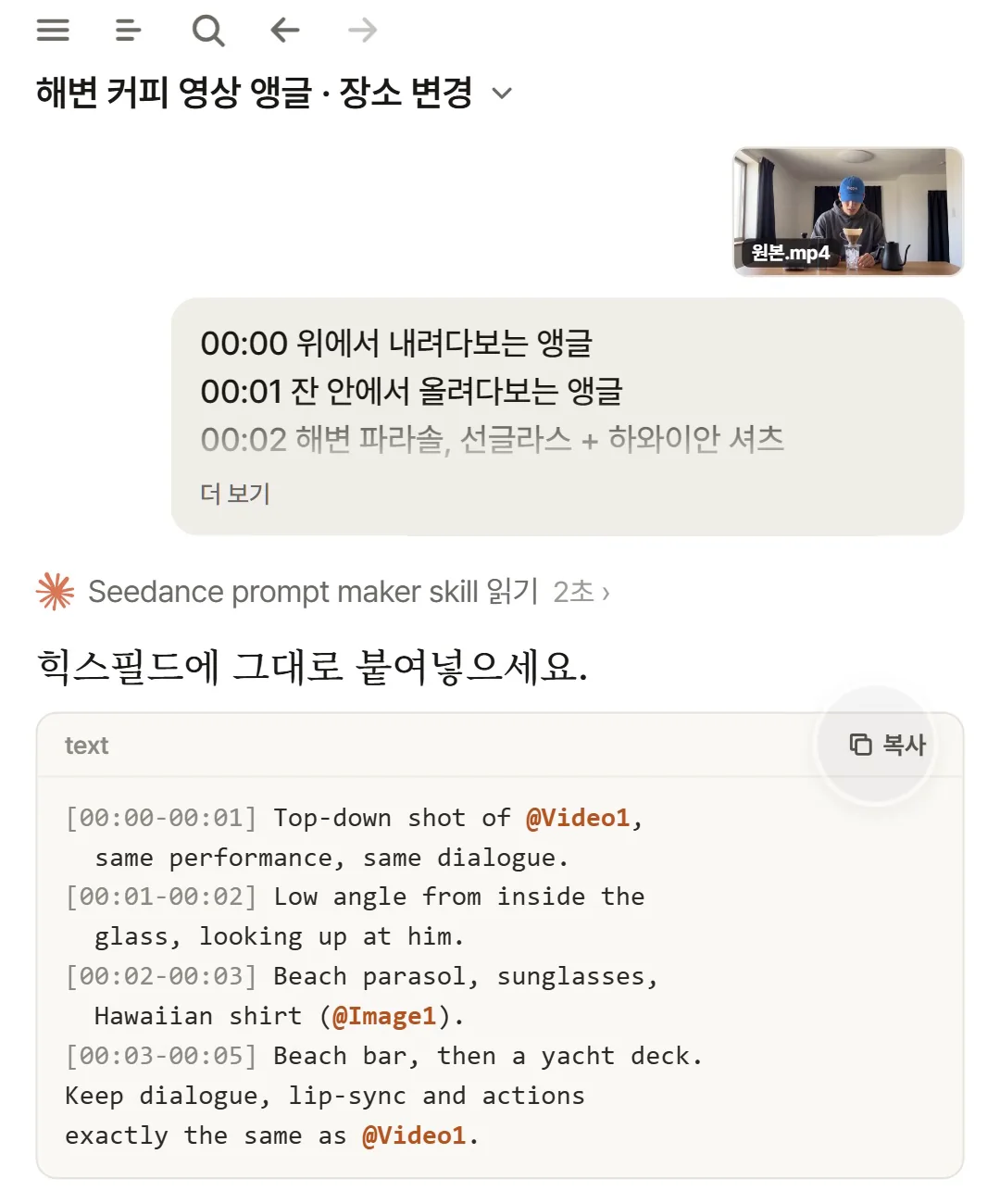
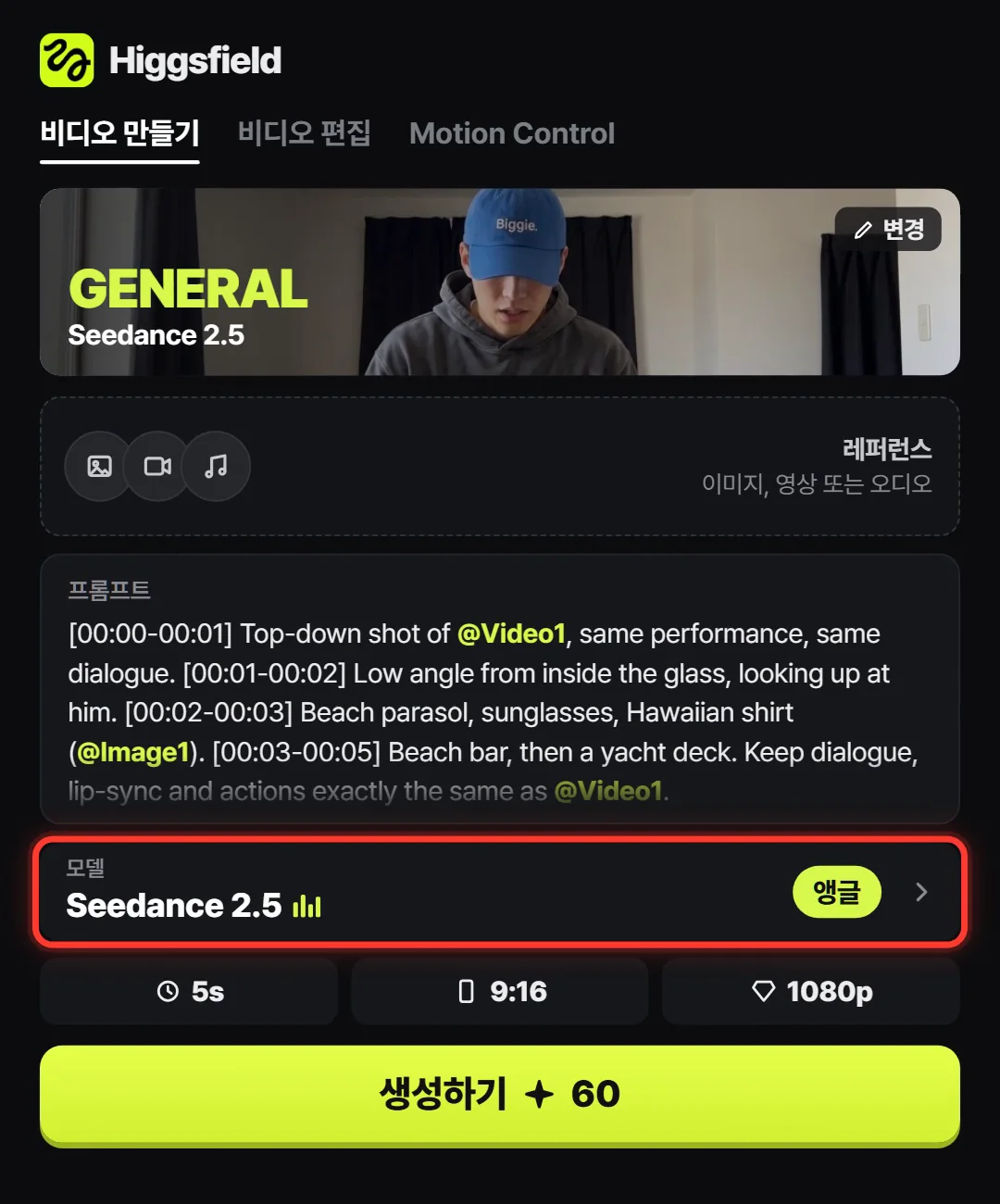
2. Seedance 2.5로 앵글 바꾸기
힉스필드에서 모델을 Seedance 2.5로 고르고, 원본 영상을 올린 뒤 프롬프트를 붙여 넣으면 돼요. 방, 조명, 옷은 원본 그대로 두고 카메라 위치만 바뀝니다.
▶ Seedance 2.5로 앵글 바꿔 보기
실제로 넣은 프롬프트 전문이에요.
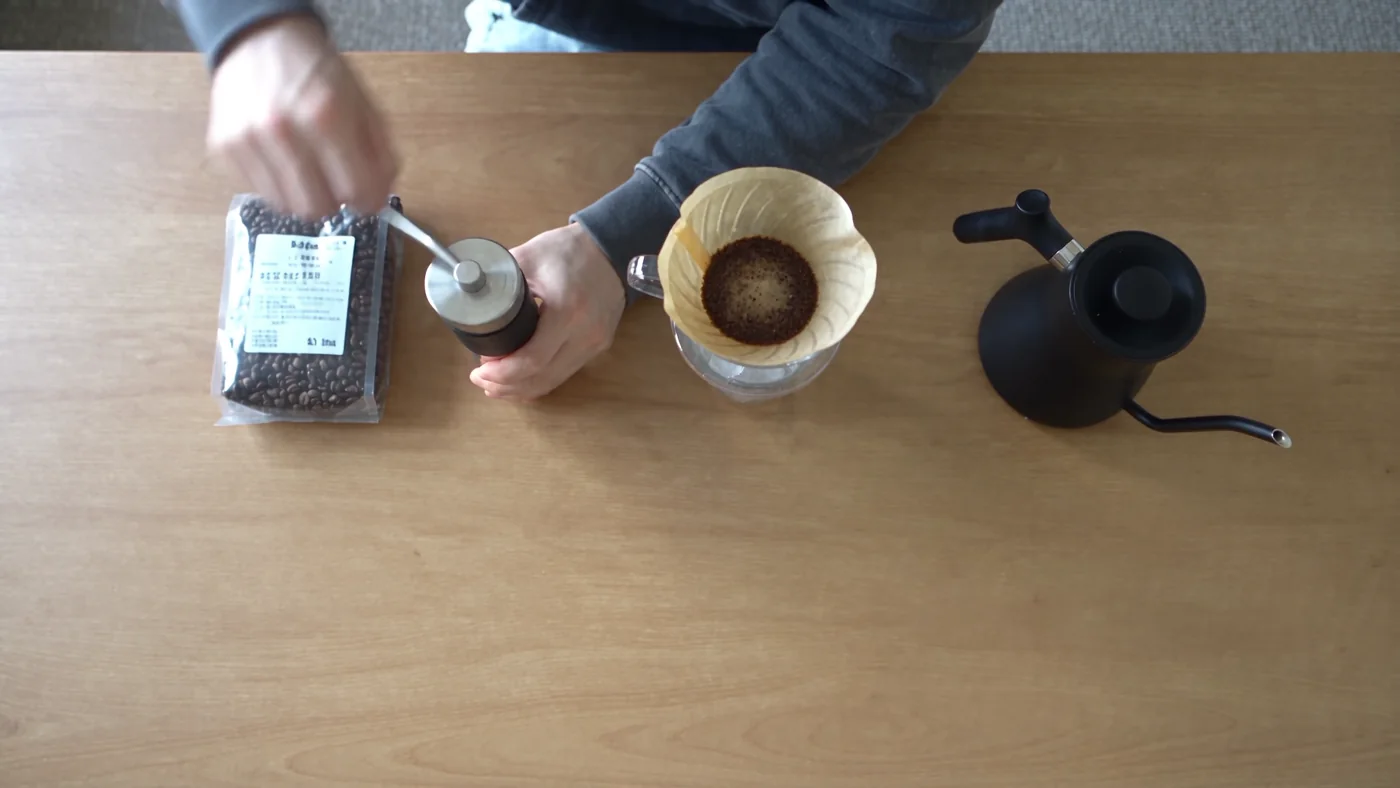
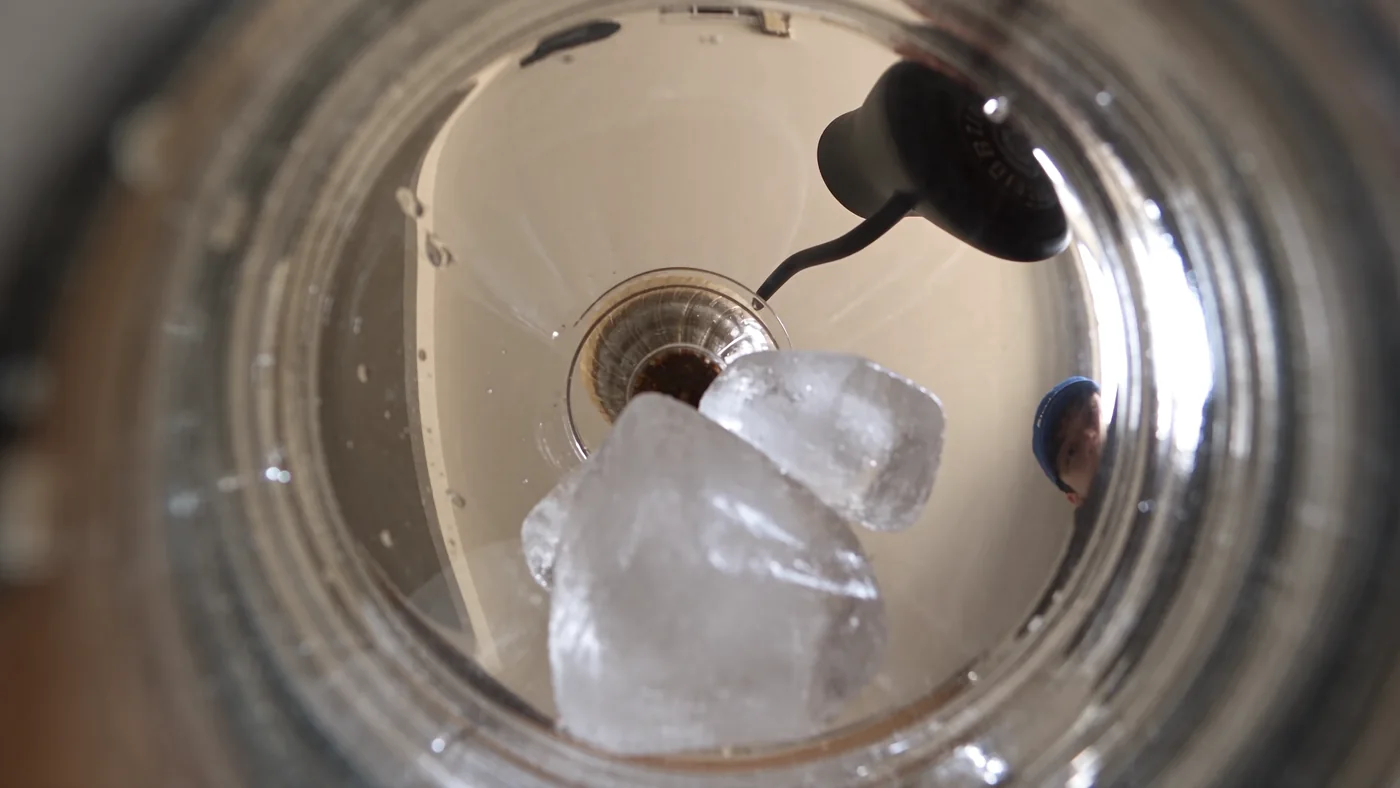
Re-shoot @Video1 from new camera angles while keeping the same room, lighting, outfit, props, performance and timing identical to the original. [0.0-0.9s] Shot 1: top-down overhead shot directly above the desk looking down at his hands turning the hand grinder crank, the iced glass and dripper beside it. Frame almost still. Hard cut. [0.9-2.3s] Shot 2: impossible shot from inside the tall glass looking up through the ice cubes, circular glass distortion at the edges, the dripper and the man in the blue cap above, as hot water starts to pour. Slow rotate. Hard cut. [2.3-5.0s] Shot 3: slow low-angle push-in from desk level toward the man pouring from the gooseneck kettle. Photorealistic, same daylight and grade as @Video1.
위에서 내려다보는 앵글과 잔 안에서 올려다보는 앵글이 이렇게 나왔어요. 잔 안 앵글은 실제 카메라로는 찍을 수 없는 자리라서 영상에서 가장 눈에 띄는 장면이 됩니다.
3. Genjutsu로 장소와 옷 바꾸기
먼저 원본의 첫 장면을 캡처해서, 바꾸고 싶은 장소와 옷으로 고친 참고 이미지를 한 장 만들어 주세요. 저는 힉스필드의 Nano Banana Pro로 만들었어요.
Edit this exact photo. Keep the man's pose, head angle, hand positions, body size and position in frame, the camera angle and framing, and every coffee prop exactly where they are. Change only the location and his clothes: he now sits at a light wooden table under a white beach parasol on a bright, free, sunny tropical beach, turquoise sea and white sand behind him, a couple of palm trees, clear blue sky, midday sun. He keeps the same bright blue cap, and now also wears black sunglasses and a loose short-sleeve Hawaiian resort shirt with a palm-leaf print in cream and green, open collar. Photorealistic, natural daylight, vacation vibe, no people in the background.
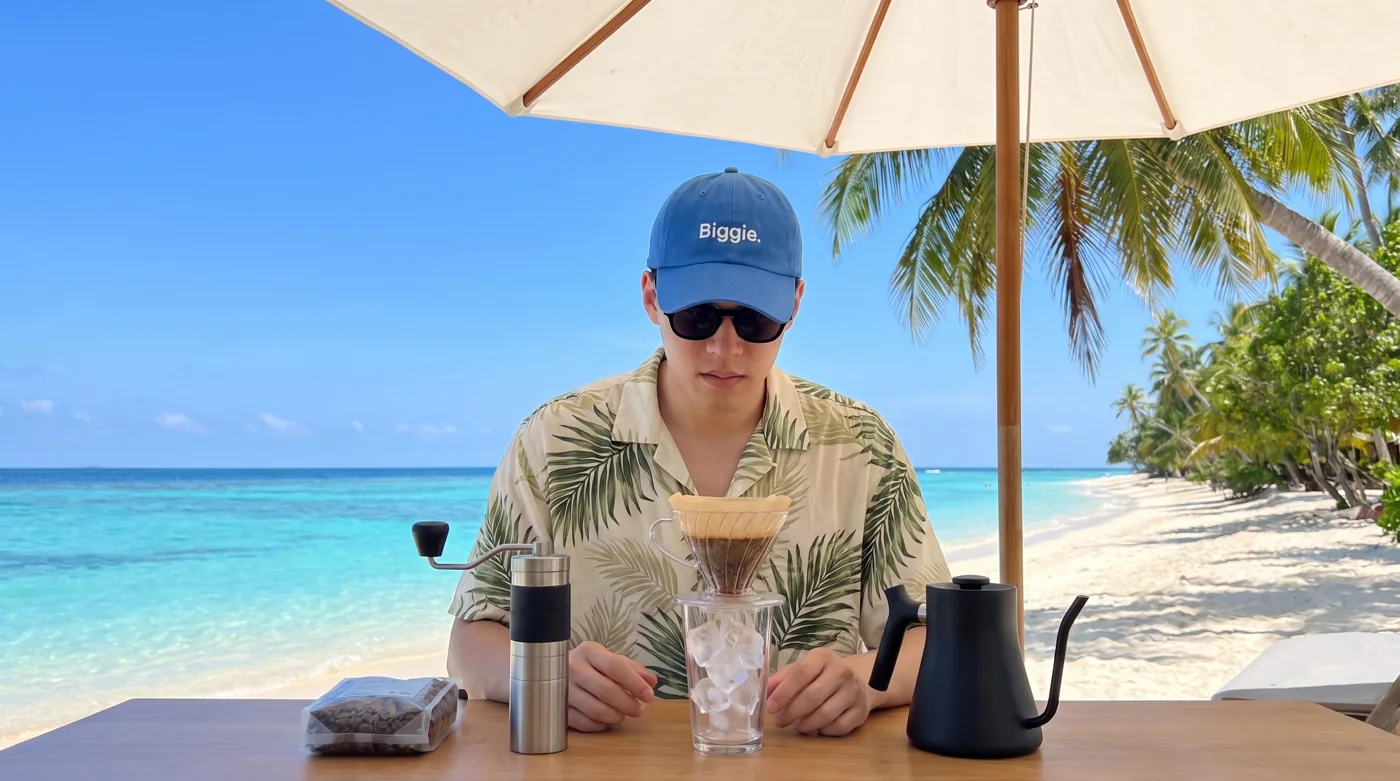
그다음 모델을 Genjutsu로 바꾸고, 원본 영상과 참고 이미지를 같이 넣으면 돼요.
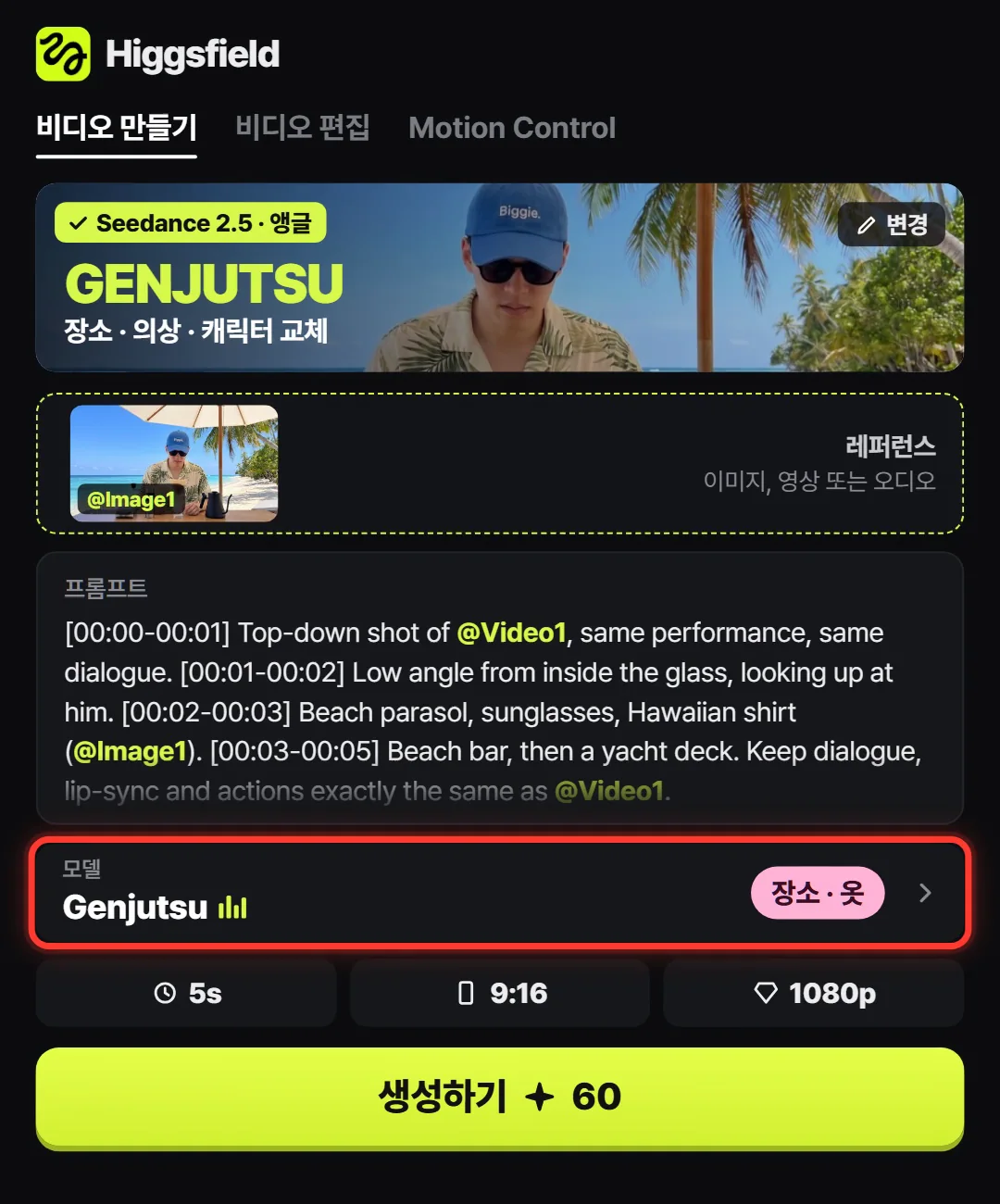
Genjutsu에 넣은 프롬프트 전문이에요.
Replace the room with the sunny tropical beach under the white parasol from the reference image, and replace his grey hoodie with the cream-and-green palm-leaf Hawaiian shirt and add the black sunglasses from the reference image. Keep his blue cap, his exact body motion, hand movements, coffee props, timing and mouth movement identical to the source video. Camera framing unchanged.
물 붓는 손, 고개 각도, 입 모양이 원본 그대로인 채로 장소만 해변으로 바뀌었어요. 참고 이미지만 바꿔서 해변 바 버전도 하나 더 만들었습니다.
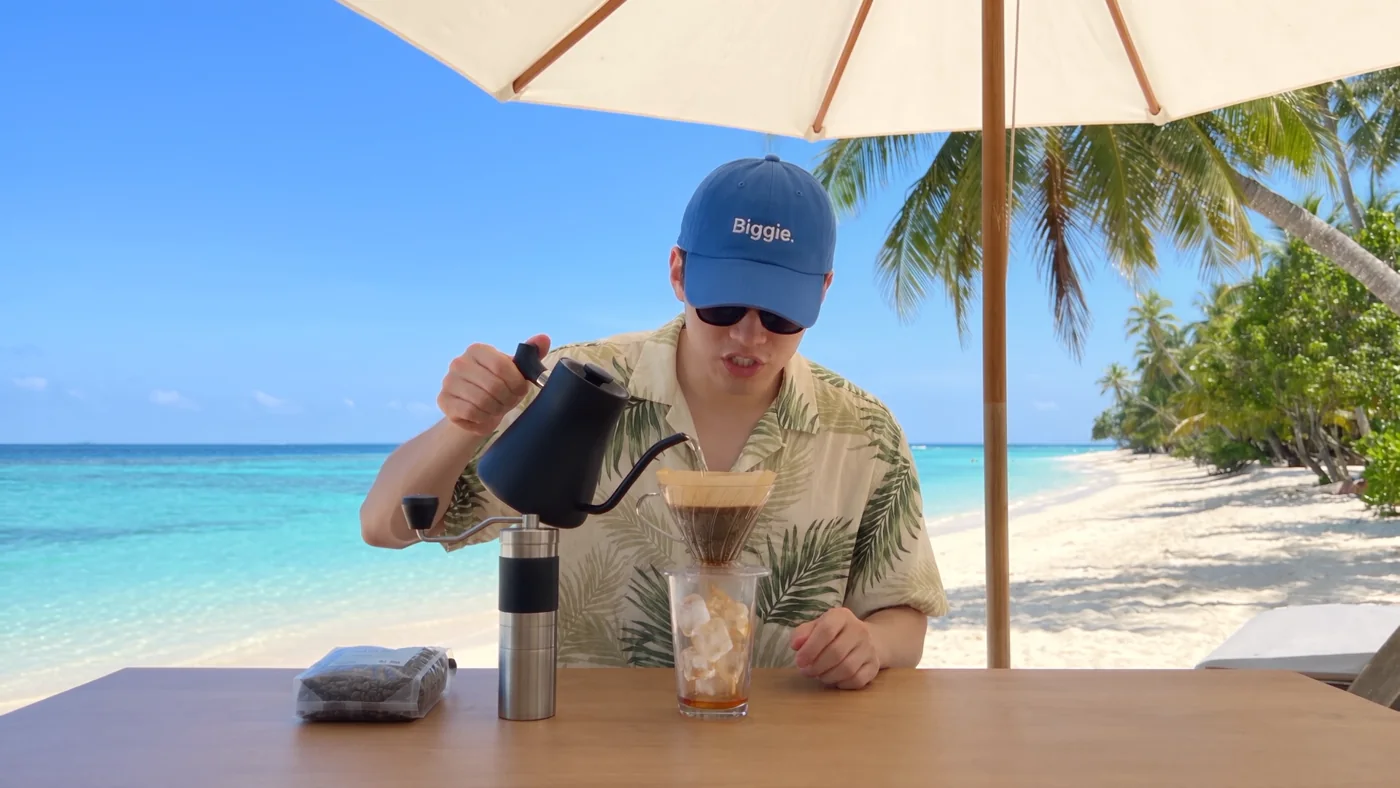
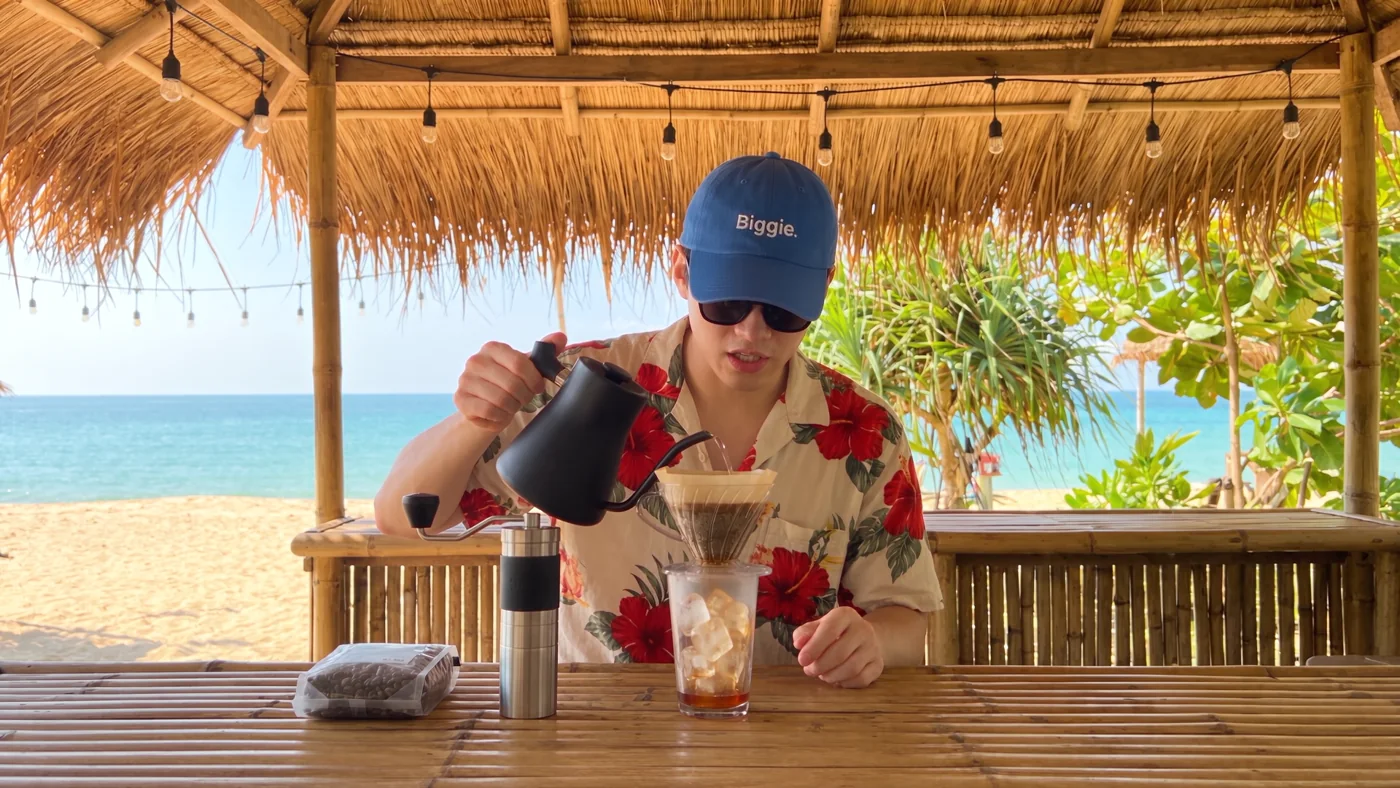
▶ Genjutsu로 장소 바꿔 보기
4. 움직이는 오브젝트 넣기
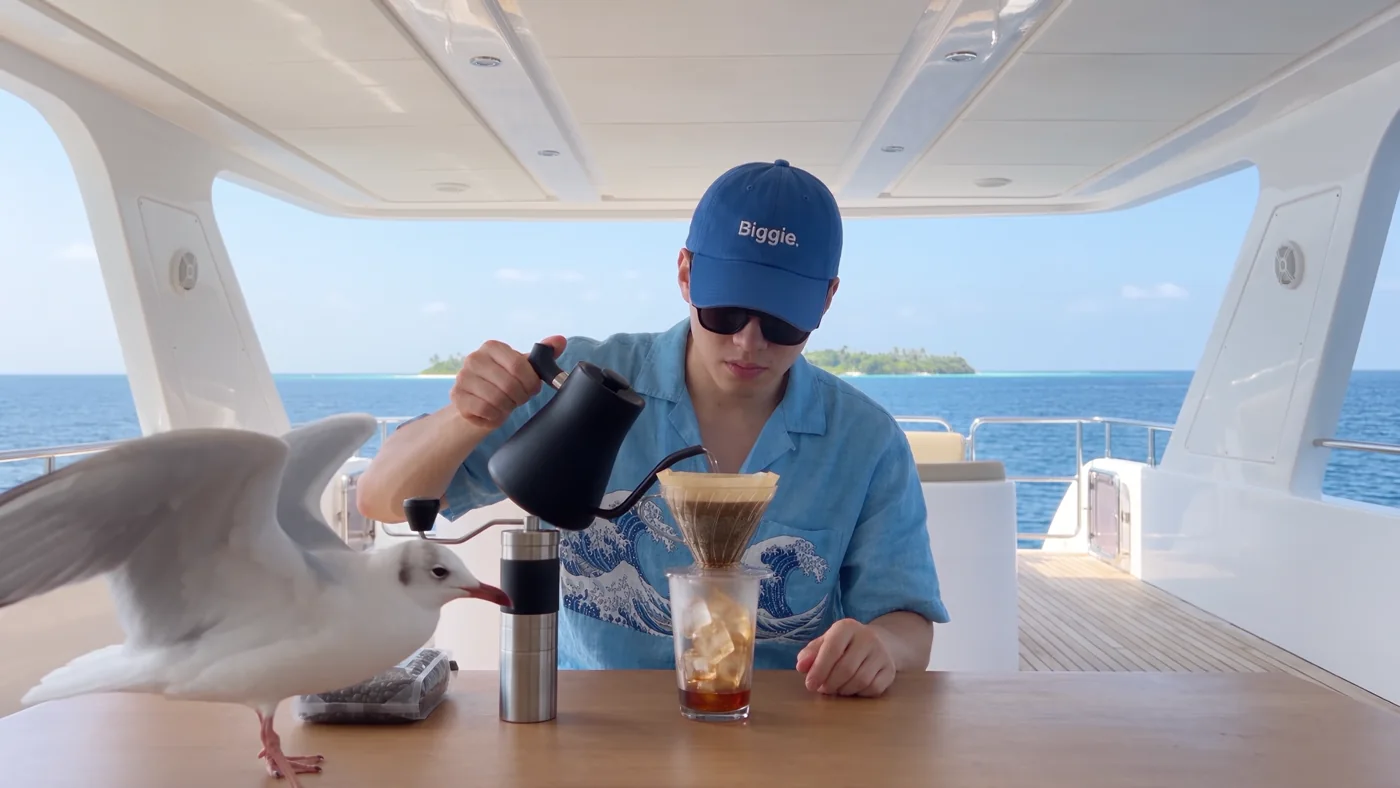
원본에 없던 것이 화면 안에서 움직이게 만들 수도 있어요. 요트 위 장면에 갈매기가 날아와 테이블에 내려앉게 했습니다.
Keep the exact performance, body motion, hand movements and timing of the man in @Video1, same camera framing. Change the location to the open deck of the white yacht on the deep blue sea from @Image1, bright sunshine, and change his grey hoodie to the light blue wave-print resort shirt with black sunglasses from @Image1, keeping his blue cap. New moving object: at around 1 second a white seagull glides in from the left, flaps its wings and lands on the table beside the coffee glass, then walks a few steps and tilts its head at the coffee. Photorealistic, crisp, natural daylight.
5. 인물 바꾸기
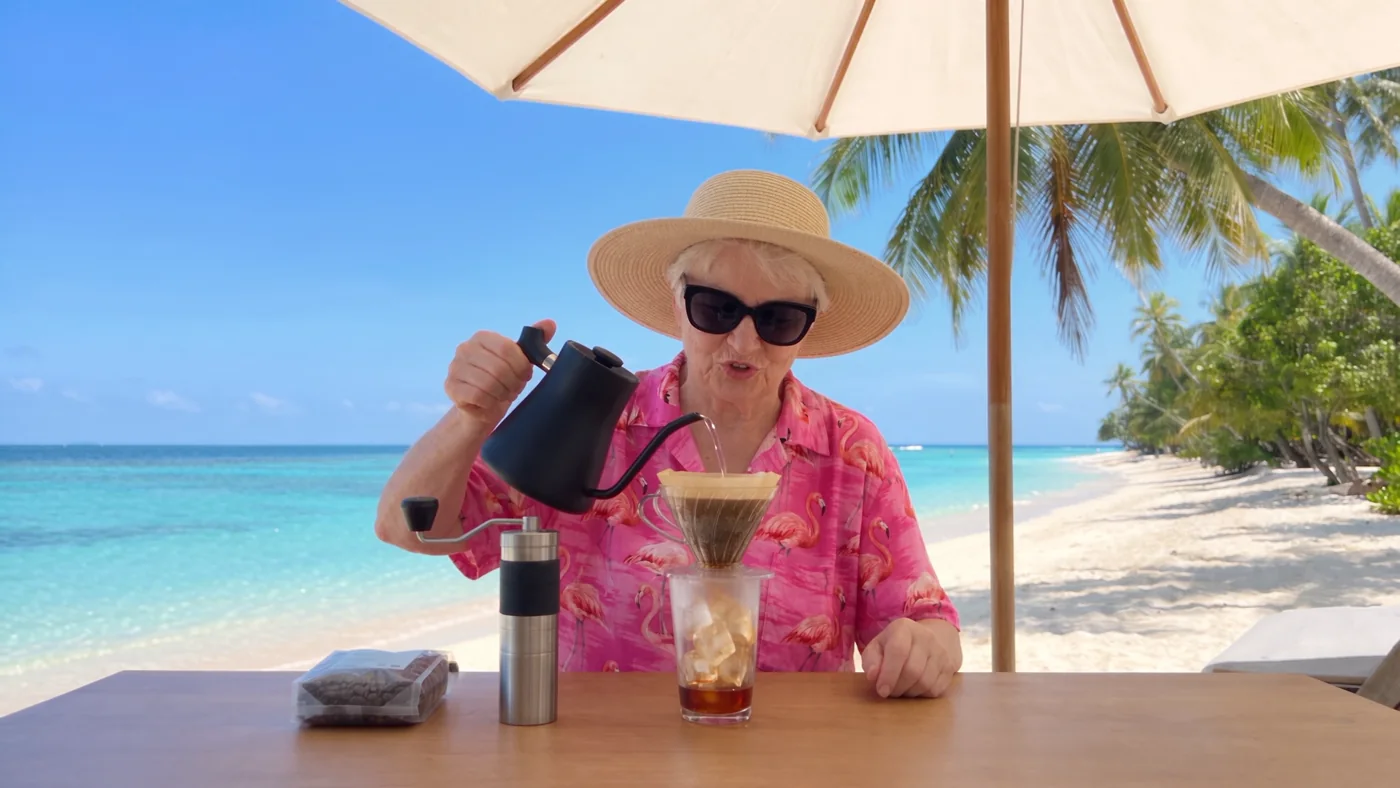
참고 이미지 속 인물만 바꾸면 사람 자체도 바뀌어요. 같은 해변 파라솔에 할머니가 앉아 있는 참고 이미지를 만들고 Genjutsu에 넣었더니, 커피 내리는 동작은 원본 그대로 할머니가 하고 있어요.
Replace the young man with the white-haired grandmother from the reference image (straw sun hat, black sunglasses, pink flamingo resort shirt) and replace the room with the sunny beach under the white parasol from the reference image. Keep her exact body motion, hand movements, coffee props, timing and mouth movement identical to the source video. Camera framing unchanged.
6. 갖고 있던 영상에도 똑같이 쓸 수 있어요
꼭 삼각대로 새로 찍지 않아도 돼요. 편의점 CCTV, 어릴 때 찍은 VHS 홈비디오, 어둡고 흔들린 폰 영상, 흔한 스톡 영상도 같은 방식으로 바꿀 수 있어요. 컵을 드는 동작은 그대로 두고 우주정거장, 왕궁 연회장, 네온 거리, 바닷속으로 옮겼어요.
잘 나오게 하는 요령
- 영상을 5초 안팎으로 짧게 잘라서 넣으면 동작이 더 정확하게 따라와요.
- 앵글, 장소, 인물을 한 번에 다 바꾸려 하지 말고 하나씩 따로 만들면 결과가 깔끔해요.
- 참고 이미지는 원본 첫 장면과 구도가 같아야 해요. 사람 위치와 소품 자리를 그대로 두라고 꼭 적어 주세요.
원본 하나랑 참고 이미지 한 장이면 시작할 수 있어요. 오늘 찍은 영상으로 첫 장면부터 같이 바꿔 봐요!
▶ Higgsfield에서 하이브리드 프로덕션 시작하기
AI 사용법 가이드와 새 글, 강의 소식을 보내 드립니다. 새 소식이 있을 때만 보냅니다.
인스타그램 @biggie_ai 에서 새 가이드 소식을 가장 먼저 받아 보세요.