터진 영상 프롬프트 그대로 뽑기 · 드리미나 Analyze this video로 "IQ 500" 영상 따라 만들기
이 글은 Dreamina와 함께한 광고 협업 가이드입니다. 글 안의 링크로 가입하면 혜택이 적용될 수 있습니다.
영상에서 보신 "만약 IQ 500이라면?"은 한 달 만에 구독자가 6만 명 늘어난 채널의 영상이에요. 이 영상을 드리미나 캔버스에 넣고 Analyze this video만 누르면 화풍이랑 장면별 프롬프트가 그대로 나와요. 여기서 캐릭터만 내 캐릭터로 바꾸면 같은 느낌의 영상이 바로 만들어져요.
▶ 드리미나 첫 달 408원으로 시작하기
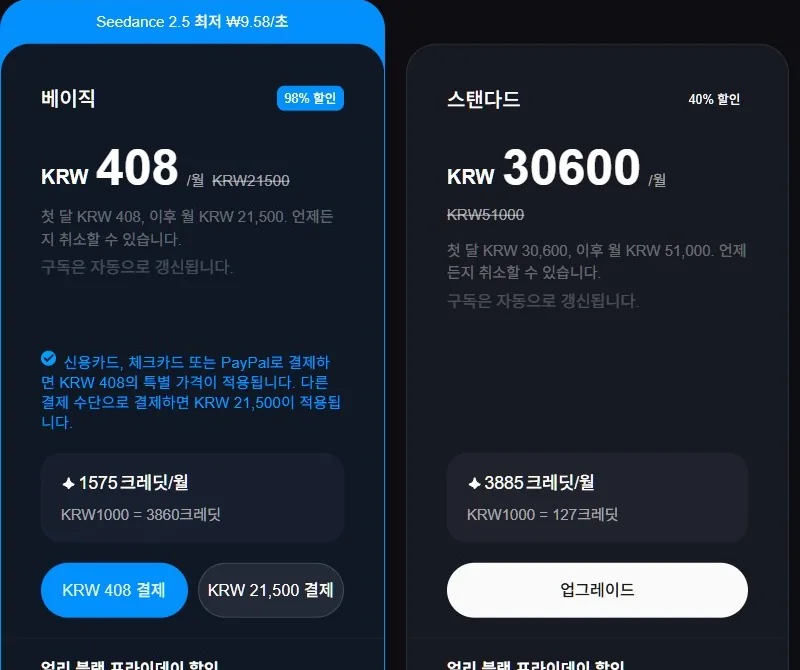
이 링크로 들어가면 베이직 플랜 첫 달이 408원이에요.
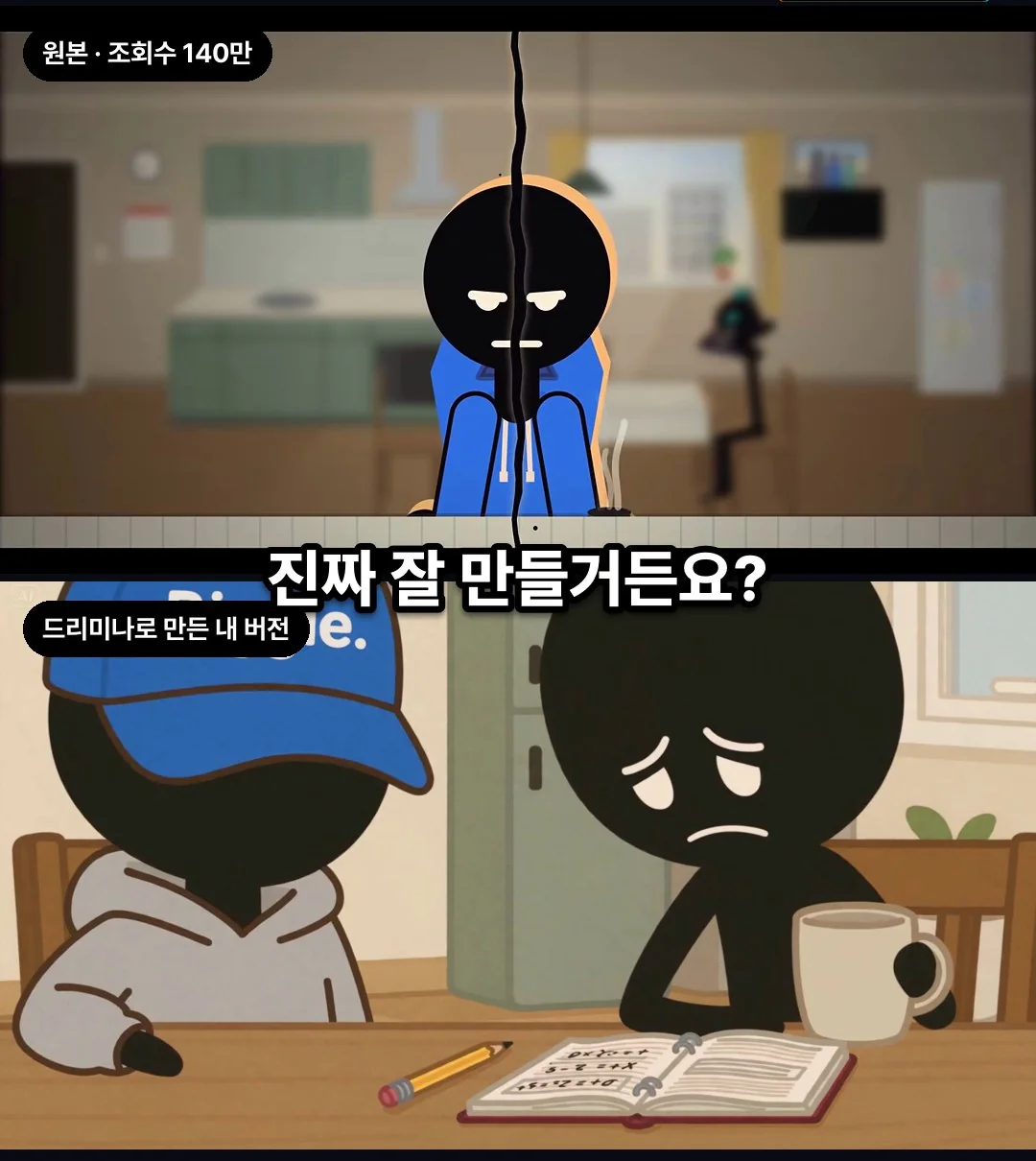
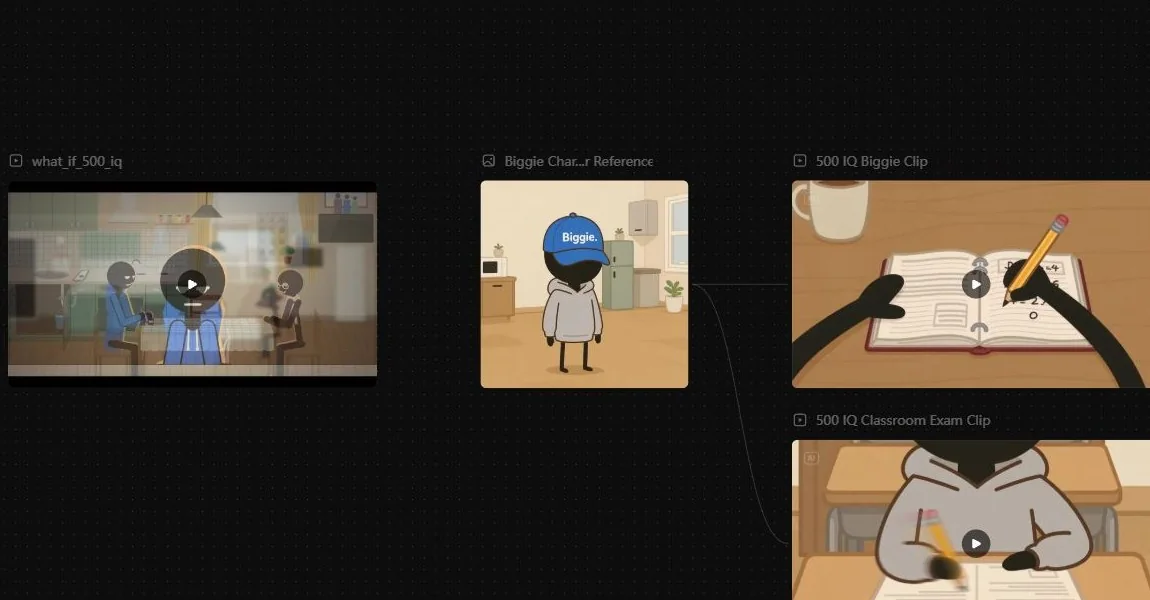
위가 원본, 아래가 드리미나로 만든 제 버전이에요. 화풍과 카메라 흐름은 그대로 두고 주인공만 Biggie 모자를 쓴 제 캐릭터로 바꿨어요.
1. 베이직 플랜을 첫 달 408원으로 시작하기
위 링크로 들어가서 요금제에서 베이직의 KRW 408 결제를 누르세요. 신용카드, 체크카드, PayPal로 결제하면 첫 달이 408원이에요.
2. 새 캔버스 열고 영상 넣기
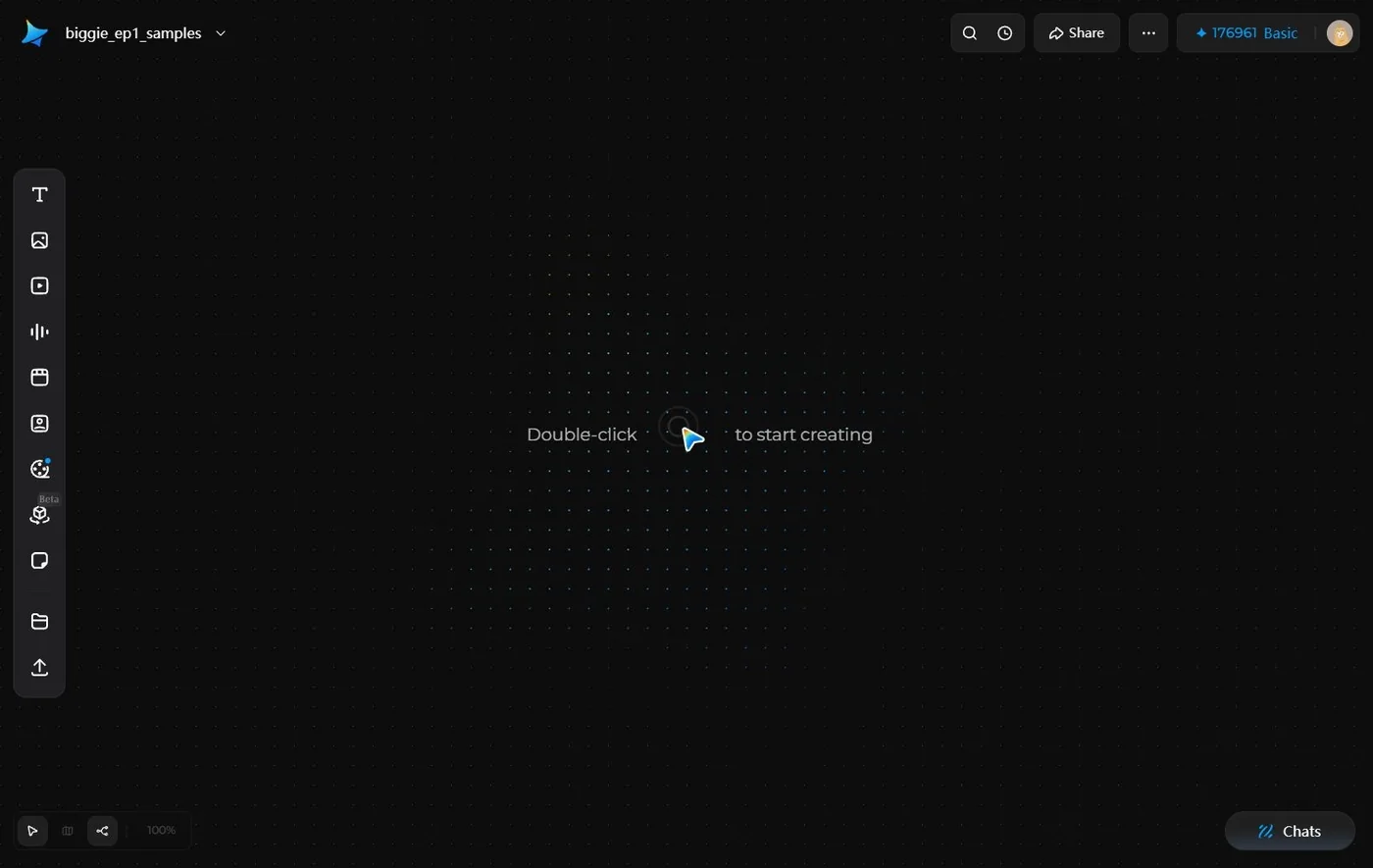
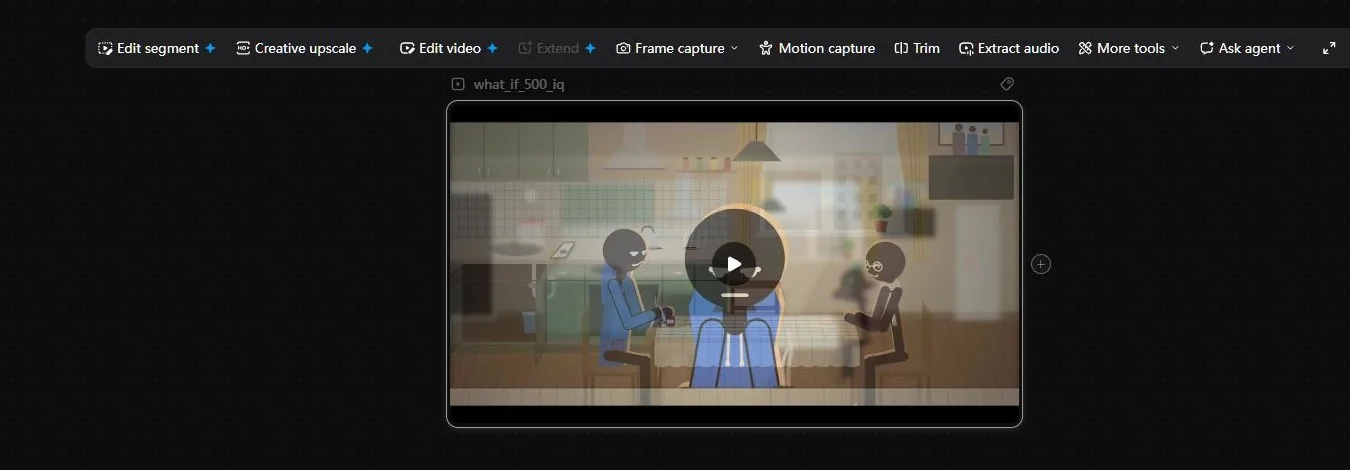
드리미나에서 새 캔버스를 열고 빈 곳을 더블클릭한 뒤 Add node → Upload로 따라 하고 싶은 영상을 올리세요. 저는 "What If You Had 500 IQ?" 영상 앞부분 12초를 넣었어요.
3. Analyze this video로 프롬프트 뽑기
올린 영상을 클릭하고 위쪽 Ask agent → Analyze this video를 누르세요. (More tools 메뉴 안에 있을 때도 있어요.)
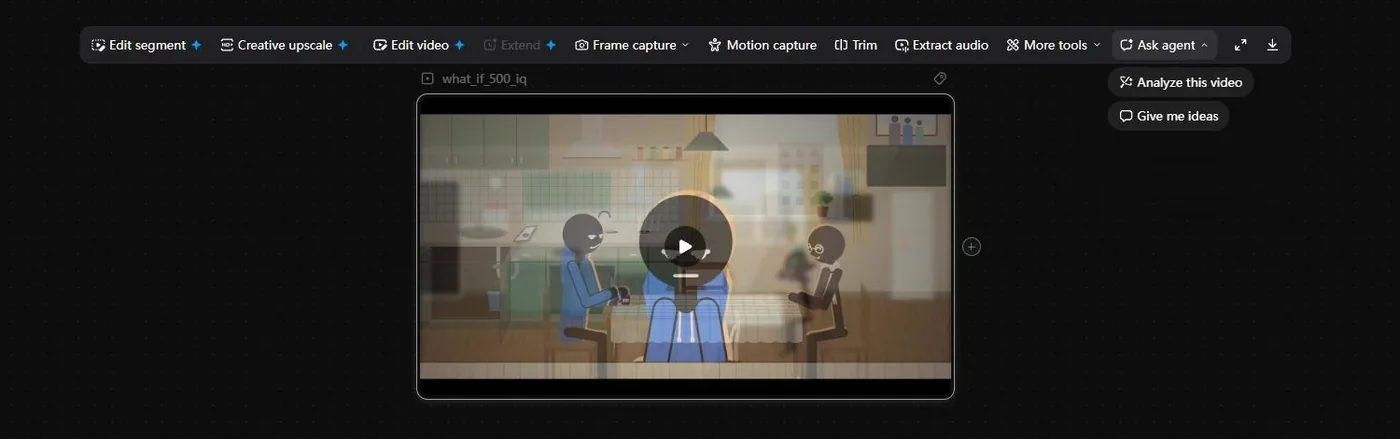
드리미나가 영상을 보고 화풍, 장면별 구성, 카메라 움직임, 소리까지 정리해 줘요.
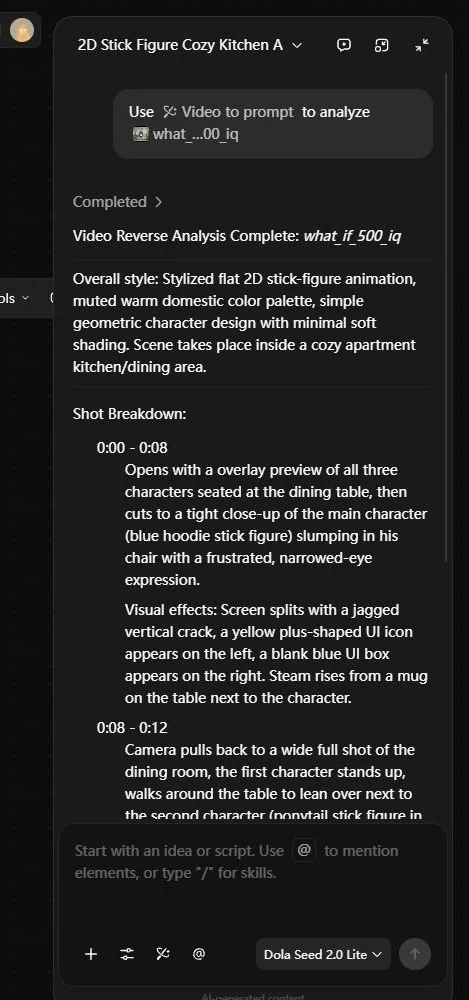
실제로 나온 분석 결과예요.
Overall style: Stylized flat 2D stick-figure animation, muted warm domestic color palette, simple geometric character design with minimal soft shading. Scene takes place inside a cozy apartment kitchen/dining area.

Shot Breakdown:
0:00 - 0:08
Opens with a overlay preview of all three characters seated at the dining table, then cuts to a tight close-up of the main character (blue hoodie stick figure) slumping in his chair with a frustrated, narrowed-eye expression.
Visual effects: Screen splits with a jagged vertical crack, a yellow plus-shaped UI icon appears on the left, a blank blue UI box appears on the right. Steam rises from a mug on the table next to the character.
0:08 - 0:12
Camera pulls back to a wide full shot of the dining room, the first character stands up, walks around the table to lean over next to the second character (ponytail stick figure in dark clothing) seated at the table.
Cuts to an extreme close-up of an open math olympiad workbook, showing crossed-out failed attempts on Problem 6, the second character holds a pencil hovering over the empty answer box.

Audio: Soft ambient domestic room hum throughout the full 12 second clip, no spoken dialogue.
4. 캐릭터만 내 캐릭터로 바꿔서 만들기
분석이 끝난 채팅창에 아래처럼 보내면 같은 화풍으로 내 캐릭터 그림을 먼저 만든 다음 그 캐릭터로 시댄스 2.5 영상까지 만들어 줘요. 캐릭터 설명만 내 캐릭터로 바꿔서 그대로 붙여넣으세요.
Great. Now recreate this in the exact same 2D stick figure animation style, but with my own character. Step 1: generate a character image of my main character: a simple black stick figure with a round head, wearing a bright blue baseball cap with the white text "Biggie." on the front, the cap brim pulled low so his eyes are hidden, plain light gray hoodie, same flat warm kitchen background. Step 2: using that character, generate one 10 second 16:9 video with Seedance 2.5 for the theme "What if you had 500 IQ?": he sits at the same cozy kitchen dining table next to a frustrated family member who is stuck on Problem 6 of a math olympiad workbook, he glances at it for one second, takes the pencil and solves it instantly, the answer box glows, and the family member drops their mug in shock. Keep the same camera rhythm: tight close-up first, then pull back to a wide shot. No on-screen text except the cap.
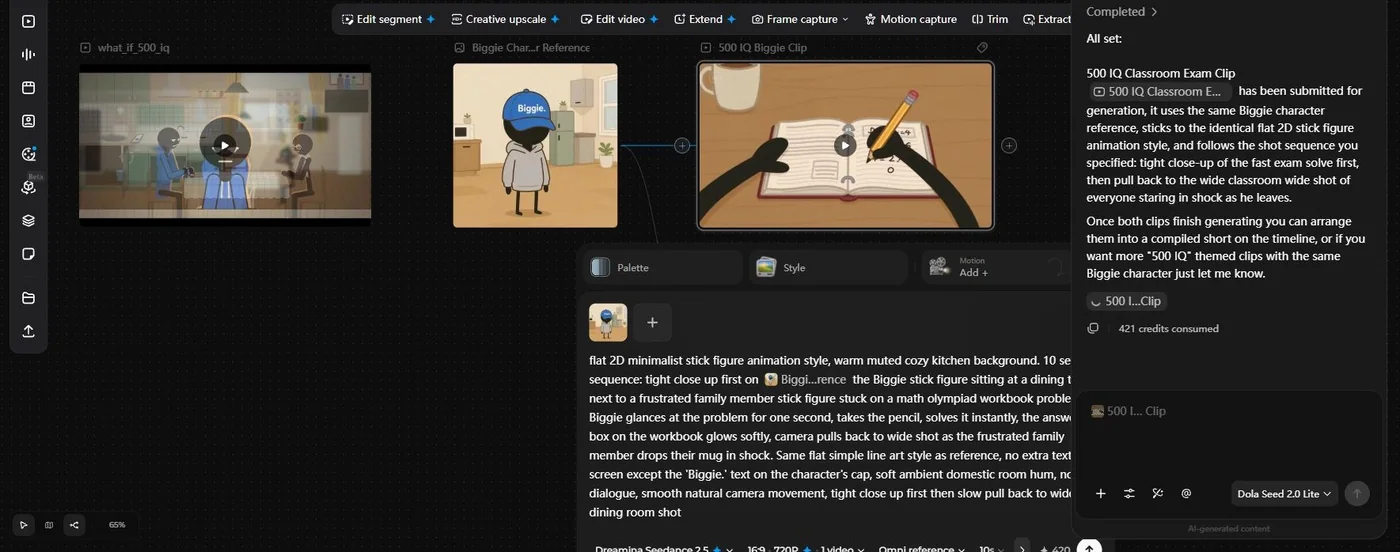
캐릭터가 한 번 만들어지면 상황만 바꿔서 계속 뽑을 수 있어요. 저는 같은 캐릭터로 교실 시험 장면도 하나 더 만들었는데 얼굴이 그대로 유지돼요.
▶ 드리미나 캔버스 바로 써보기
첫 달 408원으로 시댄스 2.5와 Analyze this video를 바로 써볼 수 있어요.
다른 터진 영상에도 그대로 써보세요
방법은 똑같아요. 따라 하고 싶은 영상을 넣고 Analyze this video로 프롬프트를 뽑은 다음, 캐릭터나 제품만 내 것으로 바꾸면 돼요. 쇼츠 채널 캐릭터 영상, 제품 광고, 짧은 애니메이션 모두 같은 순서로 만들 수 있어요.
▶ 지금 첫 달 408원으로 시작하기
AI 사용법 가이드와 새 글, 강의 소식을 보내 드립니다. 새 소식이 있을 때만 보냅니다.
인스타그램 @biggie_ai 에서 새 가이드 소식을 가장 먼저 받아 보세요.